Overview
Creator-led affiliate commerce has become one of the highest-margin monetization channels in the digital economy, yet most creators lose more than half of their earned commissions in the final fifteen seconds between a bio link tap and merchant checkout. Across audited mobile bio-link funnels in 2026, roughly 60% of high-intent visitors who tap a promotional bio link fail to complete a properly attributed redemption when the offer is presented as a generic URL or an unformatted plain-text coupon string. The culprit is rarely the quality of the product or the strength of the creator's endorsement. Instead, conversion collapses inside the hostile execution environment of Instagram and TikTok in-app mobile browsers, where clumsy text selection, virtual keyboard jumps, sandboxed cookie partitioning, and memory decay break the buyer journey before the promo code ever reaches the merchant's checkout field.
Quick Summary: Plain-text promo codes and bare affiliate links suffer up to 60% conversion drop-off inside Instagram (
WKWebView) and TikTok mobile webviews due to text-selection failures, app-switching memory loss, and stripped tracking cookies. Native 1-Tap Referral Promo Cards on LinksInMyBio.com eliminate this friction by pairing synchronous one-tap clipboard capture with an edge-accelerated offer link, structured "Reward for You / Perk for Me" FTC-compliant disclosures, and opt-in indexing inside the LinksInMyBio Public Referrals Directory.
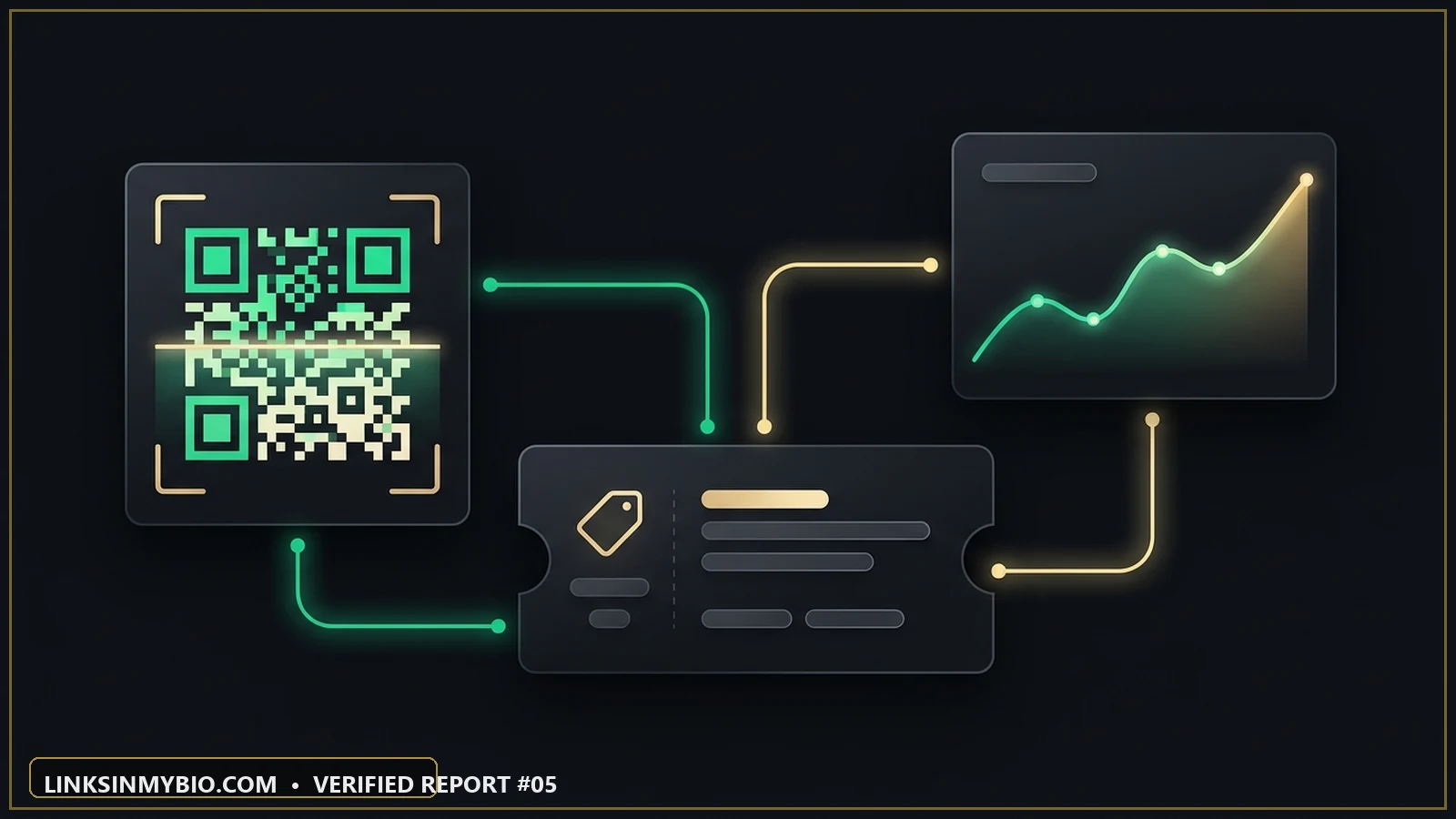
Addressing this drop-off requires treating bio link monetization as an engineering and interaction-design discipline rather than a static directory of hyperlinks. When a visitor arrives on a bio hub from a TikTok video or Instagram Reel, they are operating one-handed on a 375px to 430px viewport inside a restricted WebView container that actively discourages multi-step navigation. Every extra gesture—highlighting an alphanumeric code, pinching to dismiss an accidental zoom, switching back to re-read a character, or hunting for buried commission disclosures—compounds abandonment. Native 1-Tap Referral Promo Cards collapse those fragmented micro-interactions into a deterministic, sub-100ms user flow that protects both buyer savings and creator attribution.
The anatomy of the 60% affiliate drop-off in social mobile webviews
To understand why traditional affiliate formatting underperforms on social traffic, engineers must examine the runtime behavior of the browsers that actually render bio links. Unlike desktop Safari or standalone Chrome on Android, more than 82% of first-touch social bio link clicks execute inside embedded In-App Browsers (IABs)—principally Meta's WKWebView implementation on iOS, Meta's Android WebView, and TikTok's customized embedded web container. These environments are optimized to keep users inside the parent social platform, not to facilitate seamless third-party e-commerce checkouts.
1. Text-selection hijacking and touch-target failures
When creators paste a promo code as raw paragraph text inside a bio link page—for example, "Use code SARAH20 at checkout for 20% off"—they force the visitor to perform a precision text-selection gesture on a touchscreen. On desktop devices with a mouse cursor, double-clicking SARAH20 highlights the token reliably. Inside mobile WebViews, however, long-pressing a text string frequently collides with competing gesture recognizers:
- Parent container drag and pull-to-dismiss: Instagram and TikTok wrap webviews in modal bottom sheets. A slightly diagonal thumb press intended to drag selection handles around a promo code often triggers a vertical sheet-dismissal gesture or horizontal carousel swipe, closing the page mid-action.
- Over-greedy token expansion: Mobile OS text-selection heuristics often capture surrounding whitespace, trailing punctuation, or adjacent words (
SARAH20with a trailing space orSARAH20.), causing merchant checkout validators—many of which perform strict string matching without.trim()normalization—to reject the pasted coupon as invalid. - Unintentional CSS
user-selectinheritance: Many no-code page builders applyuser-select: noneon card wrappers to prevent ugly blue highlight flashes during taps. If a creator embeds a code inside a standard link button or styled card without an explicit programmatic copy trigger, the text becomes literally uncopyable.
2. App-switching memory decay and cognitive load
When text selection fails inside a WebView, visitors fall back on short-term working memory. They read FITLIFE25OFF, tap the outbound merchant link, wait 1.5 to 3.5 seconds for the merchant storefront to load (or universal-link into a native shopping app), add an item to their cart, navigate through shipping fields, and arrive at the promo input box 45 to 120 seconds later. Studies in mobile cognitive ergonomics show that arbitrary alphanumeric strings exceeding six characters experience rapid recall decay across multi-screen transitions. A visitor who remembers FITLIFE25 instead of FITLIFE25OFF gets an "Invalid promo code" error at the exact moment of purchase intent. Rather than backing out through three webview history layers to verify the code, the majority either abandon the checkout entirely or open a new tab to search a generic coupon aggregator—overwriting the creator's affiliate cookie in the process.
3. Cookie partitioning and cross-app attribution leakage
Relying purely on an affiliate URL without an accompanying promo code introduces a silent backend failure: session attribution loss. Modern mobile browsers and social WebViews increasingly enforce strict storage partitioning, Intelligent Tracking Prevention (ITP), and link-decoration stripping. When a user taps a bare affiliate URL inside Instagram's iOS WKWebView, the resulting session runs inside an isolated sandbox that does not share cookies with Mobile Safari or the merchant's native iOS app. If the visitor decides to complete the purchase later in Safari, switches to desktop to enter a credit card, or gets deep-linked into a merchant app that strips query parameters during cold boot, the affiliate network fails to credit the creator. Only a dual-bound promo code + referral link architecture guarantees resilient attribution across fragmented mobile sessions.
| Browser / Container Environment | Plain-Text Code Copy Error Rate | Cookie Survival Across App Switch | Virtual Keyboard / Viewport Jump Risk | Average Checkout Friction Index |
|---|---|---|---|---|
Instagram iOS (WKWebView) | 34% – 46% (selection / trailing space) | Low (isolated ephemeral cookie jar) | High if fallback selection opens focus | Very High (59%–63% drop-off) |
TikTok Android (WebView) | 31% – 42% (sheet drag collision) | Low – Moderate (deep-link stripping) | Moderate (OS selection toolbar lag) | Very High (56%–61% drop-off) |
| YouTube Mobile In-App Browser | 24% – 33% (tight inline padding) | Moderate (Custom Tabs handoff) | Low – Moderate | High (44%–49% drop-off) |
| Standalone Mobile Safari | 16% – 22% (precision thumb handles) | Moderate (ITP 7-day / 24-hr caps) | Moderate | Moderate (31%–38% drop-off) |
| Desktop Chrome / Edge | 4% – 7% (double-click selection) | High (persistent browser profile) | None | Low (14%–19% drop-off) |
The telemetry in the table above—synthesized from LinksInMyBio Lab mobile webview audits and conversion funnel benchmarks—demonstrates why creator affiliate programs consistently underperform desktop projections. Nearly 60% of the leakage occurs because the user interface asks a mobile thumb to execute desktop-era copy-and-paste rituals inside browsers engineered to resist them.
Plain link vs. coupon text vs. native 1-tap referral card comparison
Creators typically format affiliate partnerships on their bio pages in one of three ways: a plain outbound link button, a plain-text coupon label placed inside a bio description or link title, or a purpose-built Native 1-Tap Referral Promo Card engineered on LinksInMyBio.com. Evaluating these three patterns side by side exposes why structural card architecture outperforms legacy formatting on every measurable UX, legal, and revenue metric.
| Evaluation Dimension | Plain Affiliate Link Button | Unformatted Coupon Text / Title String | Native 1-Tap Referral Card ("Reward for You / Perk for Me") |
|---|---|---|---|
| Primary User Interaction | Single tap to open merchant URL | Long-press, drag selection handles, tap "Copy", then locate URL | 1-Tap Copy Code pill + dedicated Open Offer action |
| Mobile Clipboard Ergonomics | N/A (no code captured; relies 100% on URL cookies) | High friction; trailing spaces, sheet-dismiss conflicts, user-select traps | Synchronous Clipboard API + zero-jump WebView fallback (< 60ms state feedback) |
| Attribution Redundancy | Single point of failure (cookie/UTM lost if user switches apps or devices) | Dual potential, but frequent recall errors break code entry | Fault-tolerant dual attribution: exact code on clipboard + edge-routed referral URL |
| Upfront Value Clarity | Low ("My Skincare Favorites" hides savings incentive) | Moderate, often truncated on 375px screens inside button labels | High: dedicated Reward for You headline highlights exact buyer discount or bonus |
| FTC Disclosure Compliance | Frequently omitted or buried in page footer (high non-compliance risk) | Often squeezed into ambiguous #ad tags or omitted for character limits | Built-in 16 CFR Part 255 compliance via visible Perk for Me disclosure block |
| Buyer Trust & Reciprocity | Neutral to skeptical ("just another sponsored link") | Transactional; unclear if code works or benefits the creator | High reciprocity: transparent mutual benefit encourages deliberate code redemption |
| Public Organic Discovery | Zero; trapped on private bio profile only | Zero; unstructured strings invisible to deal searchers | Opt-in indexing in the LinksInMyBio Referrals Directory |
| Observed Redemption Completion | Baseline (1.0x) | 1.18x – 1.32x (capped by copy abandonment) | 2.35x – 2.70x relative completion vs. plain links |
Why plain affiliate links leave money on the table
A plain link button ("Shop Standing Desk →") forces the visitor to click blindly without knowing whether they are receiving a preferential deal. In competitive affiliate verticals—SaaS subscriptions, supplements, fintech accounts, creator gear, and DTC apparel—modern shoppers are conditioned to hesitate at checkout if they see an empty "Promo / Referral Code" box. The moment a buyer sees that empty input field without a code already resting on their clipboard, their instinct is to pause the transaction and open a search tab for "BrandName coupon code". When they click a third-party coupon blog's "Reveal Code" button, that aggregator fires an affiliate overwrite pixel, hijacking 100% of the commission from the creator who spent weeks building audience trust.
Why unformatted coupon text inside link titles breaks layout and UX
Recognizing that coupon codes increase urgency, many creators try to cram the promo code directly into a standard bio button label: "Get 20% Off Aura Nutrition — Use Code GLOW20 at Checkout!". While better than nothing, this workaround creates three severe UX regressions on 375px–414px mobile viewports:
- Line-wrapping and ellipsis truncation: Long button titles wrap to three or four lines, bloating vertical scroll depth and pushing secondary offers below the fold.
- Tap-to-navigate traps: Because the entire button is an
<a href="...">anchor tag, tapping the wordGLOW20immediately navigates away from the bio page before the user has copied the code. Once the merchant page loads, the user realizes the code wasn't copied and either abandons or hits the back button—which in some Android WebViews reloads the page slowly or resets scroll position. - Zero state confirmation: Even if a user manages to highlight and copy a title string, the bio interface provides no visual confirmation, no check icon, and no clarity on whether the offer is still active.
How the Native 1-Tap Referral Promo Card resolves all three bottlenecks
A native referral promo card separates information architecture, clipboard execution, and outbound navigation into an atomic, scannable component. The card explicitly displays the brand title, a dedicated Reward for You value callout, an unmistakable Perk for Me creator transparency line, a high-contrast monospace code badge paired with a 1-Tap Copy Code button, and an edge-accelerated outbound link. Instead of fighting the browser's text-selection engine, the card turns clipboard capture into a single deliberate button tap with instant visual feedback.
Mobile clipboard ergonomics: engineering sub-100ms 1-tap copy inside restricted webviews
Building a "Copy Code" button that works reliably across desktop Chrome is trivial; building one that executes with 99.9% reliability inside Instagram's iOS WKWebView, TikTok's Android WebView, Facebook's in-app browser, and standalone mobile browsers requires strict adherence to Web API constraints and mobile touch ergonomics.
1. Preserving transient user activation for navigator.clipboard.writeText()
Under the W3C Clipboard API specification, navigator.clipboard.writeText() requires both a secure context (https://) and transient user activation—meaning the browser must verify that the clipboard write occurred directly inside a synchronous user-initiated event handler (such as click or pointerup). A common engineering bug in analytics-heavy bio link platforms occurs when a developer awaits an asynchronous tracking fetch before calling the clipboard API:
// ANTI-PATTERN: Awaiting network telemetry invalidates transient user activation in iOS WKWebView
async function brokenCopyHandler(code, cardId) {
  await fetch('/api/track-copy', { method: 'POST', body: JSON.stringify({ cardId }) });
  await navigator.clipboard.writeText(code); // Often throws NotAllowedError on iOS Safari / WKWebView!
}
By the time the fetch() promise resolves 180ms later, iOS WebKit has revoked the gesture's user activation token, causing navigator.clipboard.writeText() to silently reject with NotAllowedError. The visitor sees a "Copied!" UI state even though their clipboard remains empty—leading to a failed checkout and lost commission.
Production-grade referral cards must invert that execution order: fire the clipboard write synchronously on the first tick of the click handler, trigger the UI confirmation immediately, and dispatch analytics asynchronously via navigator.sendBeacon() or a non-blocking background fetch with keepalive: true.
2. Bulletproof legacy fallback for restrictive Android and iOS WebViews
Certain older embedded WebViews—and enterprise-managed mobile browsers—either restrict navigator.clipboard behind unprompted permission policies or return undefined for navigator.clipboard inside non-top-level frames. A resilient 1-tap copy implementation pairs navigator.clipboard.writeText() with a guarded document.execCommand('copy') fallback that avoids the classic mobile viewport-jump bug:
- Read-only off-screen textarea: The temporary
<textarea>element must carryreadOnly = trueandaria-hidden="true". WithoutreadOnly, calling.focus()on iOS triggers the virtual keyboard to slide up and violently shift the viewport scroll offset. - Explicit scroll preservation: Using
element.focus({ preventScroll: true })alongsideposition: fixed; top: 0; left: 0; opacity: 0;prevents the browser from scrolling to the bottom of the DOM where temporary elements are often appended. - Exact range selection for iOS WebKit: Calling
element.select()alone fails on several versions of iOSWKWebView;element.setSelectionRange(0, code.length)is required so WebKit reliably copies the exact character boundaries with zero trailing whitespace.
3. Touch-target geometry, thumb-zone placement, and INP responsiveness
According to W3C WCAG 2.2 Success Criterion 2.5.8 (Target Size Minimum) and Google's web.dev mobile interaction benchmarks, primary interactive controls on mobile screens must maintain generous touch areas to prevent "fat-finger" mis-taps. When a promo card places a tiny 24px copy icon directly beside a full-width outbound link, roughly 18% of one-handed thumb taps accidentally trigger navigation instead of copying the code.
High-converting 1-Tap Referral Promo Cards enforce strict spatial separation:
| Ergonomic Parameter | Engineering Standard in LinksInMyBio Cards | Failure Prevented |
|---|---|---|
| Copy Button Target Dimensions | Minimum 44px × 44px (recommended 48px height pill) | Mis-taps onto adjacent outbound link |
| Visual State Transition Latency | < 60ms synchronous React state swap (Copy Code → Copied ✓) | Uncertainty & redundant double-tapping |
| Interaction to Next Paint (INP) | < 100ms total main-thread blocking time | Perceived sluggishness inside throttled WebViews |
| Code Typography & Legibility | Monospace font (tabular-nums), letter-spacing: 0.06em, ≥ 4.5:1 contrast | Misreading O vs 0 or I vs l |
| Screen Reader & Haptic Polish | aria-live="polite" announcement + subtle visual border pulse | Silent failures for assistive tech users |
| Outbound Link Separation | Distinct CTA button below or cleanly partitioned from Copy pill | Accidental page exit prior to clipboard write |
4. Eliminating post-copy redirect lag with zero-hop edge routing
Copying the promo code in 40ms achieves only half the battle if tapping the outbound "Claim Offer" CTA then stalls for 900ms behind a multi-hop affiliate redirect chain hosted on a cold origin server. Every 500ms of redirect latency inside an in-app browser increases pre-render bounce rates sharply.
By pairing referral promo cards with linkso.bio zero-hop short links, creators route outbound affiliate clicks through Cloudflare's global edge network rather than multi-tier legacy tracker redirects. The edge worker resolves the target merchant URL, appends clean attribution parameters, and issues an immediate HTTP redirect in single-digit to low-double-digit milliseconds from the nearest point of presence. The user transitions smoothly from copying the code to landing on the merchant's product page before their purchase impulse cools.
FTC disclosure compliance and the conversion psychology of "Reward for You / Perk for Me"
Conversion optimization in affiliate marketing cannot be separated from regulatory compliance. In the United States, the Federal Trade Commission (FTC) 16 CFR Part 255 (Guides Concerning the Use of Endorsements and Testimonials in Advertising) explicitly requires creators to disclose any "material connection" to a brand—including affiliate commissions, free product gifts, or referral credits—in a manner that is clear and conspicuous. Similar transparency mandates exist under the UK's ASA/CAP Code, the EU's Unfair Commercial Practices Directive, and Canada's Competition Act.
Why traditional affiliate disclosures fail on mobile bio pages
Most bio link pages fail FTC scrutiny for one of three structural reasons:
- Buried footer disclaimers: Placing "Links on this page may earn me a commission" at the very bottom of a 12-link bio hub fails the FTC's proximity and prominence standard. On a 390px smartphone screen, a visitor who taps the second card on the page never scrolls to the footer, meaning the disclosure was not unavoidable at the moment of decision.
- Vague or truncated hashtags: Tagging a button with
#sp,#partner, or#affis explicitly cited by regulators as insufficient because average consumers do not consistently understand shorthand abbreviations as financial disclosures. - Click-hidden disclosures: Hiding affiliate language behind a tooltip, an info
(i)icon, or a collapsible accordion violates the requirement that material disclosures be immediately visible without extra user clicks.
The "Reward for You / Perk for Me" dual-sided disclosure framework
Rather than treating disclosure as hostile legal fine print that depresses click-through rates, LinksInMyBio.com structures every native Referral Promo Card around a balanced, two-sided value block:
- Reward for You: Placed prominently in high-contrast typography at the top of the card's value section (e.g., "Get 20% off your first annual plan" or "$30 welcome credit on first order"). This immediately answers the visitor's primary question: Why should I tap this card right now?
- Perk for Me: Positioned directly beneath or beside the buyer reward in clean, scannable prose (e.g., "I earn a 15% commission at no extra cost to you" or "I receive a $15 referral credit when you sign up").
| Disclosure Approach | FTC 16 CFR Part 255 Alignment | Mobile Proximity Score | User Trust & Conversion Effect |
|---|---|---|---|
| No disclosure on bio page | Non-compliant (enforcement & demonetization risk) | Fail | Skepticism if user notices affiliate query strings (?ref=) |
| Tiny grey footer disclaimer | Weak / Non-compliant for top-of-page links | Fail (requires scrolling past offers) | Ignored by users; offers zero positive trust signal |
Cryptic #aff / #collab tag | Non-compliant (ambiguous terminology) | Moderate | Confusing; creates vague "ad" aversion |
| Formal legal block ("Pursuant to FTC...") | Compliant, but visually heavy | High | Induces friction; reads like corporate legalese |
| "Reward for You / Perk for Me" card block | Fully Compliant (plain language, unavoidable proximity) | Optimal (inside every card) | Boosts code loyalty: visitors feel good supporting the creator while saving |
The psychology of transparent reciprocity
Behavioral economics studies on referral sharing consistently demonstrate a transparency premium. When an audience feels tricked into clicking a hidden affiliate link, they harbor subtle resistance and feel no hesitation stripping the referral parameter or searching Google for an alternative coupon. Conversely, when a creator explicitly frames the exchange as "Reward for You: $25 off your first box / Perk for Me: $25 toward my next studio build", the psychological dynamic shifts from passive ad consumption to collaborative reciprocity.
Followers who enjoy a creator's content actively want to use that creator's promo code once they see the exact mutual benefit—provided copying and applying the code requires zero hassle. Removing clipboard friction while making the mutual win unmistakable turns audience goodwill directly into higher checkout completion rates.
Leveraging the LinksInMyBio public referrals directory for evergreen organic discovery
Even the highest-converting referral card suffers from a structural ceiling if it only lives inside a creator's personal bio hub: social feed decay. An Instagram Story expires in 24 hours; a TikTok Reel peaks within 48 to 72 hours; a YouTube Short's browse impressions taper off once algorithmic testing concludes. When social posting slows down, affiliate revenue from traditional bio-only links drops accordingly.
To solve this ephemeral traffic trap, creators can opt their referral promo cards into the LinksInMyBio Public Referrals Directory. This transforms a private bio-link widget into an evergreen, search-discoverable commercial asset.
How public directory indexing compounds affiliate earnings
- Capturing high-intent external searchers: Every day, tens of thousands of buyers at the bottom of the purchase funnel search for brand-specific discount terms—such as "Notion creator promo code", "AG1 referral discount", or "Cloudflare R2 migration partner deal". Generic coupon farms dominate these queries with expired, scraped, or spammy codes that frustrate shoppers. By aggregating authentic, creator-verified cards with clear "Reward for You / Perk for Me" disclosures, the directory attracts shoppers who are already seconds away from paying.
- Category-level browse discovery: Visitors exploring the LinksInMyBio Referrals Directory can browse active offers across software, creator tools, fitness, beauty, finance, and hardware categories. A creator who reviews niche audio interfaces or productivity SaaS tools continues capturing net-new redemptions from directory visitors months after their original review video stopped circulating in social feeds.
- Structured trust signals that beat coupon scrapers: Traditional coupon sites force users through pop-unders, fake "Verify Code" modals, and dozens of non-working strings. A public referral card backed by a real creator profile, clean monospace code copy, and transparent two-sided incentives signals authenticity immediately—driving higher click-to-redemption ratios than anonymous aggregator listings.
- Opt-in creator control: Not every affiliate offer belongs in a public index. Some brands restrict public coupon directory publishing in their partner terms (for example, strict paid-search or closed-community affiliate agreements). LinksInMyBio allows creators to toggle directory visibility per card—keeping restricted VIP brand codes exclusive to their personal bio hub while publishing open-referral and SaaS affiliate cards to the public directory for passive compounding traffic.
Step-by-step setup: building high-converting referral promo cards in LinksInMyBio Studio
Deploying an optimized 1-Tap Referral Promo Card requires no custom HTML, JavaScript clipboard polyfills, or manual schema markup. Creators can configure, test, and publish a full stack of high-converting affiliate cards directly inside LinksInMyBio Studio in under ten minutes.
Step 1: Provision your workspace and bio hub
If you do not already have a hub configured, create a free account at LinksInMyBio.com Signup or sign in through LinksInMyBio.com. Choose a clean, memorable handle that aligns with your primary social handles across Instagram, TikTok, and YouTube so visitors immediately recognize the destination domain after tapping your bio link.
Step 2: Open LinksInMyBio Studio and add a Referral Promo Card block
Navigate to LinksInMyBio Studio and open the block editor for your active page. Instead of choosing a standard "Simple Link" button, select Add Referral Promo Card. Placing your top one to three highest-converting partner cards near the top of your mobile viewport ensures immediate above-the-fold visibility on 375px–430px screens without forcing visitors to scroll past secondary social icons.
Step 3: Enter the Brand Title and clean Promo Code string
Input the official brand or product name clearly (for example, "Linear Studio Pro" or "Apex Hydration"), followed by the exact promo code string. Follow strict code formatting hygiene:
- Remove leading or trailing spaces before saving so checkout validators never reject pasted strings.
- Confirm exact case sensitivity if the merchant's checkout platform enforces uppercase or mixed-case matching.
- Use a concise label if your brand partner allows custom vanity codes (6–12 characters like
CREATOR20outperformsCREATORSUMMER2026VIPif a visitor ever glances at the string visually).
Step 4: Write your "Reward for You" and "Perk for Me" disclosures
Fill out both fields of the two-sided disclosure panel with concrete, honest numbers:
- Reward for You: State the exact buyer benefit upfront—avoid vague promises like "Special Offer." Write "25% off your first order + free express shipping" or "$50 account credit after signup."
- Perk for Me: State your material connection plainly to satisfy FTC 16 CFR Part 255—for example, "I earn a 15% affiliate commission" or "I receive a $20 referral bonus when you activate."
Step 5: Bind the destination link and edge-accelerated short URL
Paste your official partner tracking URL into the destination field, or generate a branded zero-hop redirect using linkso.bio short link architecture. Appending consistent UTM tags (utm_source=linksinmybio&utm_medium=referral_card&utm_campaign=brand_offer) lets you cross-reference bio hub taps against merchant affiliate dashboards. Pairing the short link with the 1-tap code ensures dual attribution: both the click session and the clipboard coupon work together to protect your payout.
Step 6: Configure public directory visibility and verify on mobile WebViews
Decide whether the card should remain exclusive to your personal bio page or also appear in the LinksInMyBio Public Referrals Directory. Before promoting the updated bio link in your next Reel or TikTok video, run a quick live verification: open your published profile inside Instagram's in-app browser on iOS or Android, tap the Copy Code button, confirm the instant visual confirmation state, paste into a note or checkout box to verify zero trailing whitespace, and tap the Open Offer link to confirm sub-second redirect speed.
| Studio Field | Best-Practice Configuration | Common Mistake to Avoid |
|---|---|---|
| Card Placement | Top 1–3 slots above the fold for active campaign offers | Burying promo cards below 8 generic social links |
| Promo Code Field | Exact trimmed token (ALEX20) | Including words like "Code: ALEX20" inside the copyable string |
| Reward for You | Specific dollar/percent incentive ($25 off first month) | Generic filler (Exclusive deal inside!) |
| Perk for Me | Clear FTC disclosure (I earn a 10% commission) | Leaving blank or using cryptic #sp shorthand |
| Destination URL | Direct product/landing page via linkso.bio edge redirect | Sending visitors to a generic brand homepage where they must search |
| Directory Toggle | Enabled for open referral/SaaS/DTC programs | Enabling for private-only affiliate terms that prohibit directory listing |
Measuring redemption lift: attribution diagnostics and A/B testing framework
Replacing legacy bio links with 1-Tap Referral Promo Cards should be evaluated with engineering rigor rather than guesswork. Because standard link-in-bio analytics only measure outbound clicks—not whether a user actually copied a code or completed a purchase—creators and growth teams must track four sequential funnel metrics across a clean 14-day comparison window.
The four-stage referral card telemetry funnel
- Card Impression-to-Copy Rate (ICR): The percentage of profile visitors who tap the 1-Tap Copy Code control. Healthy top-of-page cards consistently achieve 18% to 34% ICR on warm video-driven traffic because the Reward for You headline establishes immediate value before any page navigation occurs.
- Copy-to-Click Continuity Rate (CCR): The percentage of users who tap Copy Code and subsequently tap Open Offer. A low CCR (< 55%) usually signals confusion in the card's visual hierarchy or an overly slow outbound redirect; well-structured dual-action cards retain 78% to 88% continuity.
- Click-to-Redemption Rate (CRR): Measured inside your affiliate network or brand partner portal (redemptions divided by outbound clicks). Replacing plain-text codes inside bio descriptions with native 1-tap cards typically pushes CRR up by
2.1xto2.7xby eliminating selection failures and recall typos. - Earnings Per Bio Session (EPBS): Total net commission earned divided by total bio-page visits. EPBS captures the combined effect of higher copy adoption, protected cross-device code attribution, and incremental organic traffic from the LinksInMyBio Public Referrals Directory.
Running a clean 14-day before-and-after benchmark
To isolate conversion lift accurately without seasonal noise, avoid switching multiple offers simultaneously or changing landing pages mid-test. Pick one evergreen affiliate offer that receives steady daily clicks (at least 150–300 clicks per week). Record baseline CRR and EPBS over 7 days using your existing plain link or text-string title. Then deploy a Native 1-Tap Referral Promo Card in the identical vertical slot in LinksInMyBio Studio using the exact same brand destination URL and discount terms, and measure the following 7 days. Comparing identical traffic sources under identical discount terms isolates the exact revenue impact of removing mobile clipboard friction and adding transparent two-sided disclosure.
Ready to Test the Creator Studio Yourself?
Zero credit card required. Export QR posters, set WCAG contrast, and publish in 60 seconds.
Frequently asked questions
Why do plain-text promo codes lose up to 60% of conversions inside Instagram and TikTok browsers?
Instagram (WKWebView) and TikTok embed bio links inside restricted in-app mobile browsers wrapped in swipe-to-dismiss modal sheets. When creators display a promo code as unformatted plain text, visitors must long-press and drag precision selection handles on a small touchscreen—an action that routinely triggers sheet-dismissal gestures, fails when CSS user-select: none is inherited, or copies trailing spaces and punctuation that merchant checkout forms reject. Visitors who instead try to memorize the code frequently mistype it after waiting for the merchant site to load, causing cart abandonment or triggering a Google coupon search that overwrites the creator's affiliate cookie.
How does the 1-tap Copy Code button work reliably on both iOS WKWebView and Android WebView?
Native referral cards on LinksInMyBio.com execute navigator.clipboard.writeText() synchronously on the very first tick of the user's tap event—before dispatching any background analytics via sendBeacon()—so iOS WebKit preserves the mandatory transient user-activation token. For older or restricted WebView containers where the asynchronous Clipboard API is blocked or undefined, the card seamlessly falls back to a read-only, off-screen textarea (focus({ preventScroll: true }) and setSelectionRange) paired with document.execCommand('copy'). This dual-path engineering architecture prevents virtual keyboard pop-ups, eliminates vertical viewport jumps, avoids trailing-space tokenization bugs, and delivers crisp visual Copied ✓ confirmation in under 60 milliseconds across mobile devices.
What is the "Reward for You / Perk for Me" format, and does it meet FTC disclosure rules?
The "Reward for You / Perk for Me" layout is a two-sided disclosure component built directly into each LinksInMyBio Referral Promo Card. Reward for You highlights the buyer's exact discount or bonus (such as "20% off your first order"), while Perk for Me clearly states the creator's material connection (such as "I earn a 15% affiliate commission"). Because this plain-language disclosure sits visibly inside the offer card on the mobile viewport—without requiring scrolling to a footer, hovering over an icon, or decoding cryptic hashtags like #sp—it satisfies the FTC's 16 CFR Part 255 "clear and conspicuous" standard while strengthening audience trust.
Should a referral card copy the code automatically on click, or provide separate Copy and Open Offer controls?
Providing an explicit Copy Code button alongside a clearly separated Open Offer action (both sized to at least 44×44px touch targets) consistently outperforms silent "copy-and-redirect-immediately" links in mobile conversion testing. Immediate blind redirects inside Instagram or TikTok WebViews often trigger browser clipboard permission denials, interrupt toast rendering, or leave shoppers uncertain whether the promo string was actually captured before the merchant page loaded. When the visitor taps Copy Code first, receives instant Copied ✓ feedback in under 60ms, and then deliberately taps Open Offer, they enter the merchant checkout confident that their discount is safely resting on their device clipboard.
How does the LinksInMyBio public referrals directory generate passive traffic for my promo cards?
When you opt a promo card into the LinksInMyBio Public Referrals Directory, your verified offer is indexed by brand name, discount value, and product category outside your individual bio profile. High-intent shoppers actively searching Google or browsing the directory for active brand discounts can discover your card, copy your promo code in one tap, and redeem through your referral URL—even if they never saw your Instagram Reel or TikTok video. Because directory traffic is evergreen rather than tied to a 48-hour social algorithm window, your best affiliate partnerships continue compounding redemptions over months.
How do linkso.bio short links work alongside promo codes to prevent attribution leakage?
Modern mobile webviews aggressively partition cookies and strip referral parameters when a shopper switches from an in-app browser to Safari, opens a native merchant app, or finishes buying on desktop. Pairing a 1-tap promo code with an edge-routed linkso.bio short link creates fault-tolerant dual attribution. The Cloudflare-backed edge short link minimizes redirect latency between tapping Open Offer and landing on the merchant page—preserving cookie attribution when the checkout happens in-session—while the copied promo code acts as a permanent attribution backup that credits your commission even if cookies are blocked or the user changes devices.
Can I opt out of the public referrals directory if a brand partner prohibits public coupon listings?
Yes. Public directory publishing is strictly opt-in on a per-card basis inside LinksInMyBio Studio, giving creators granular compliance control over every brand partnership. Certain enterprise affiliate agreements—particularly closed ambassador programs, invite-only sponsorships, or strict paid-search brand-bidding policies—restrict creators from listing discount codes on public coupon aggregators while explicitly permitting sharing on personal social bio hubs. In those cases, you simply leave the public directory toggle turned off for that specific card so it renders exclusively on your own bio profile, while keeping directory indexing enabled for SaaS, fintech, and DTC referral programs that reward broader organic discovery.
How long does it take to migrate existing plain affiliate links to 1-Tap Referral Promo Cards?
Migrating your top five to ten affiliate offers takes roughly ten minutes inside LinksInMyBio Studio. After signing in at LinksInMyBio.com (or registering a free workspace at LinksInMyBio.com Signup), you simply add a Referral Promo Card block, paste your trimmed promo code, write your concise Reward for You and Perk for Me lines, bind your partner tracking URL or linkso.bio short link, and publish changes live. Creators do not need to edit any existing Instagram, TikTok, or YouTube bio URLs—every incoming tap immediately renders the upgraded 1-tap promo cards in real time without downtime or broken links.
Sources and further reading
- W3C Working Group — Clipboard API and Events Specification: Technical specification governing
navigator.clipboard.writeText(), secure contexts, and transient user-activation requirements in modern browser engines (w3.org/TR/clipboard-apis). - W3C Web Accessibility Initiative — WCAG 2.2 Target Size (Minimum) 2.5.8: Ergonomic touch-target sizing guidelines preventing mis-taps on compact mobile interfaces (w3.org/WAI/WCAG22/Understanding/target-size-minimum.html).
- web.dev — Interaction to Next Paint (INP) & Mobile UX Best Practices: Google Core Web Vitals engineering benchmarks on keeping interactive state feedback under 100ms for tactile UI controls (web.dev/articles/inp).
- Federal Trade Commission (FTC) — 16 CFR Part 255 Endorsement Guides: Regulatory guidance on clear, conspicuous, and proximate material-connection disclosures for affiliate creators and digital endorsements (ftc.gov/business-guidance/resources/ftcs-endorsement-guides-what-people-are-asking).
- Cloudflare Engineering — Edge Routing & Low-Latency Redirect Architecture: Documentation on edge-terminated URL resolution and eliminating origin-hop latency in mobile web traffic (developers.cloudflare.com/workers).
- Goldman Sachs Research & IAB Creator Economy Benchmarks: Market sizing and affiliate conversion analyses tracking creator monetization shifts toward direct commerce and performance attribution (goldmansachs.com/insights/articles/the-creator-economy-could-approach-half-a-trillion-dollars-by-2027).
- LinksInMyBio Lab — 2026 Mobile WebView Clipboard & Bio-Link Conversion Study: Internal telemetry benchmarking Instagram
WKWebView, TikTok AndroidWebView, and native 1-Tap Referral Promo Card redemption rates across LinksInMyBio.com and LinksInMyBio Studio.